







————-
There’s a moment every freelance web designer knows all too well. You’ve spent hours crafting a beautiful website concept — the typography is elegant, the color palette speaks directly to the brand — and then you send over a flat screenshot… and the client says, “Oh. It’s nice, I guess.”
The work deserved better. You deserved better.
Here’s the thing: local business owners aren’t designers. They don’t naturally see potential in wireframes or raw browser screenshots. What they see is risk. They’re about to invest real money, and they need to feel confident before they say yes. That’s exactly where a well-chosen MacBook mockup becomes less of a design accessory and more of a sales weapon.
Why Local Business Clients Think Differently
Pitching to a corporate marketing team is one thing. Pitching to the owner of a family-run bakery, a local law firm, or an independent gym? That’s a completely different conversation.
These clients make decisions emotionally. They imagine their business looking professional. They picture customers finding them online. They want to feel proud, not just functional. A flat PNG of your web design doesn’t trigger any of that. But show that same design sitting beautifully on a sleek MacBook screen — with soft ambient light, a real desk surface underneath, and depth that makes the screen look alive — and suddenly the conversation shifts from “how much does this cost?” to “when can we start?”
That psychological shift is the entire value proposition of mockups done right.
Setting the Scene Before the Meeting
Preparation changes everything. Before you walk into any pitch — whether it’s a coffee shop sit-down or a Zoom call with the restaurant owner across town — build your presentation around context, not just content.
Here’s a simple pre-pitch mockup workflow that works:
- Design first, mockup second. Get your design to at least 80% completion before dropping it into a MacBook mockup. Clients will focus on details you haven’t finished yet, which derails the conversation.
- Match the mockup environment to the client’s world. Pitching a minimalist architecture firm? Use a clean, white-surface mockup. Pitching a coffee roaster? A warm, wooden-desk scene feels more authentic to their brand culture.
- Export at high resolution. Nothing undermines a premium presentation faster than a pixelated mockup on a projected screen. Always export at 2x or higher.
When clients open your PDF proposal or Google Slides deck and see their actual website concept rendered inside a photorealistic laptop, you’ve already done half the selling before you’ve spoken a single word.
Real Examples: MacBook Mockups in Action
Let’s get concrete. Theory is helpful; seeing it applied is better.
The Local Restaurant Rebrand A designer pitching a full website redesign to a mid-sized Italian restaurant used a MacBook mockup set against a dark, candlelit table surface. The website’s warm amber tones and hand-crafted typography looked stunning in that context — and the owner immediately said it “felt like the restaurant.” The mockup created emotional alignment the screenshot never could.
The Independent Gym Launch For a new gym launching its first-ever website, a freelancer used an angled MacBook mockup showing the homepage hero section alongside a fitness-themed flat lay. The energy of the design translated. The client signed a three-page website package that same afternoon.
The Law Firm Credibility Play Legal clients are skeptical by nature. One designer used a formal, straight-on MacBook mockup with a blurred office background to present a corporate-style legal website. The professionalism of the presentation mirrored the professionalism of the design — and that symmetry closed the deal.
In each case, the mockup wasn’t decoration. It was persuasion, packaged as design.
MacBook Mockups on ls.graphics: A Resource Worth Knowing
If you’ve been using mediocre mockup resources, this section will genuinely change your workflow.
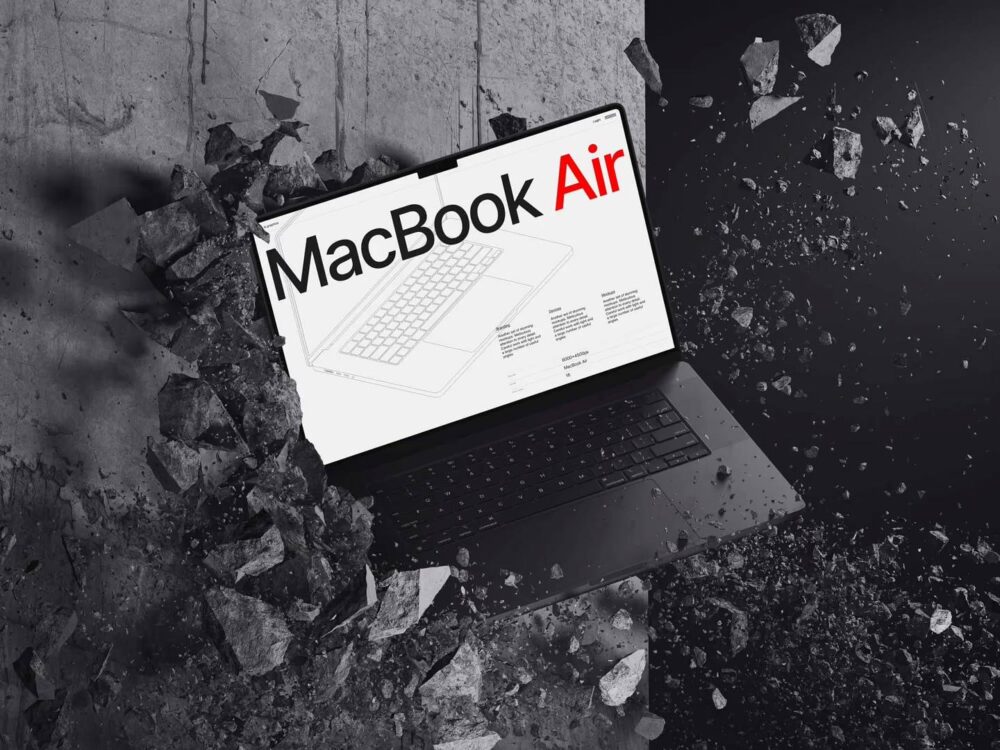
ls.graphics offers a library of MacBook mockups that operate on a completely different level from the average freebie you find through a quick search. The quality is premium in a way you notice immediately — ultra-realistic rendering that makes screens appear genuinely illuminated, with accurate reflections, depth, and lighting that sells the illusion completely.
What makes their collection particularly valuable for client work:
- Organized, layered files — Smart object layers let you drop in your design in seconds. No manual masking, no distortion headaches.
- Multiple angles and perspectives — From straight-on hero shots to dramatic three-quarter views, you can choose the composition that best suits your pitch context.
- Various color styles — Silver, space gray, midnight — the hardware options mirror real-world MacBook variations, which adds another layer of authenticity.
- Stylish, minimalistic compositions — The scenes are designed with restraint. There’s no visual clutter competing with your website design. The mockup serves the work, not the other way around.
- Ease of use — Even designers who aren’t Photoshop power users can produce professional results within minutes.
When you’re preparing a client presentation that needs to impress on first glance, the resource you use for your mockup matters more than most designers admit.
Making Mockups Part of Your Standard Pitch Process
Consistency compounds. Once you start using high-quality MacBook mockups in every pitch, something interesting happens: your close rate quietly improves, your clients arrive at meetings already excited, and the perceived value of your work goes up — even when the design itself hasn’t changed.
Build mockup creation into your standard workflow, not as an afterthought. Allocate fifteen minutes per pitch for mockup preparation. Create a small library of scene styles — minimal, warm, corporate, creative — and match them to client industries. Deliver your proposal PDF with the mockup as the very first visual. Let the image do the talking before your pricing page arrives.
Clients don’t just buy websites. They buy confidence in their own future. A beautiful, realistic MacBook mockup gives them a window into that future the moment they open your proposal.
Conclusion
The gap between a good pitch and a won pitch is rarely about the design itself. It’s about helping a non-designer feel what the finished product will mean for their business. A well-placed MacBook mockup bridges that gap instantly — turning abstract layouts into tangible visions clients can emotionally invest in.
For designers who want their presentations to match the quality of their work, resources like ls.graphics provide the kind of professional-grade mockup foundation that makes every pitch look like it came from a premium agency. Combine great design with great presentation, and you won’t just win more clients — you’ll win better ones.











+ There are no comments
Add yours